![AT Logo Transparent Bkgd.png]](https://learn.accessible-tech.com/hs-fs/hubfs/Logos/Accessible%20Tech%20Logos/AT%20Logo%20Transparent%20Bkgd.png?width=200&height=58&name=AT%20Logo%20Transparent%20Bkgd.png)
Why Switch Users?
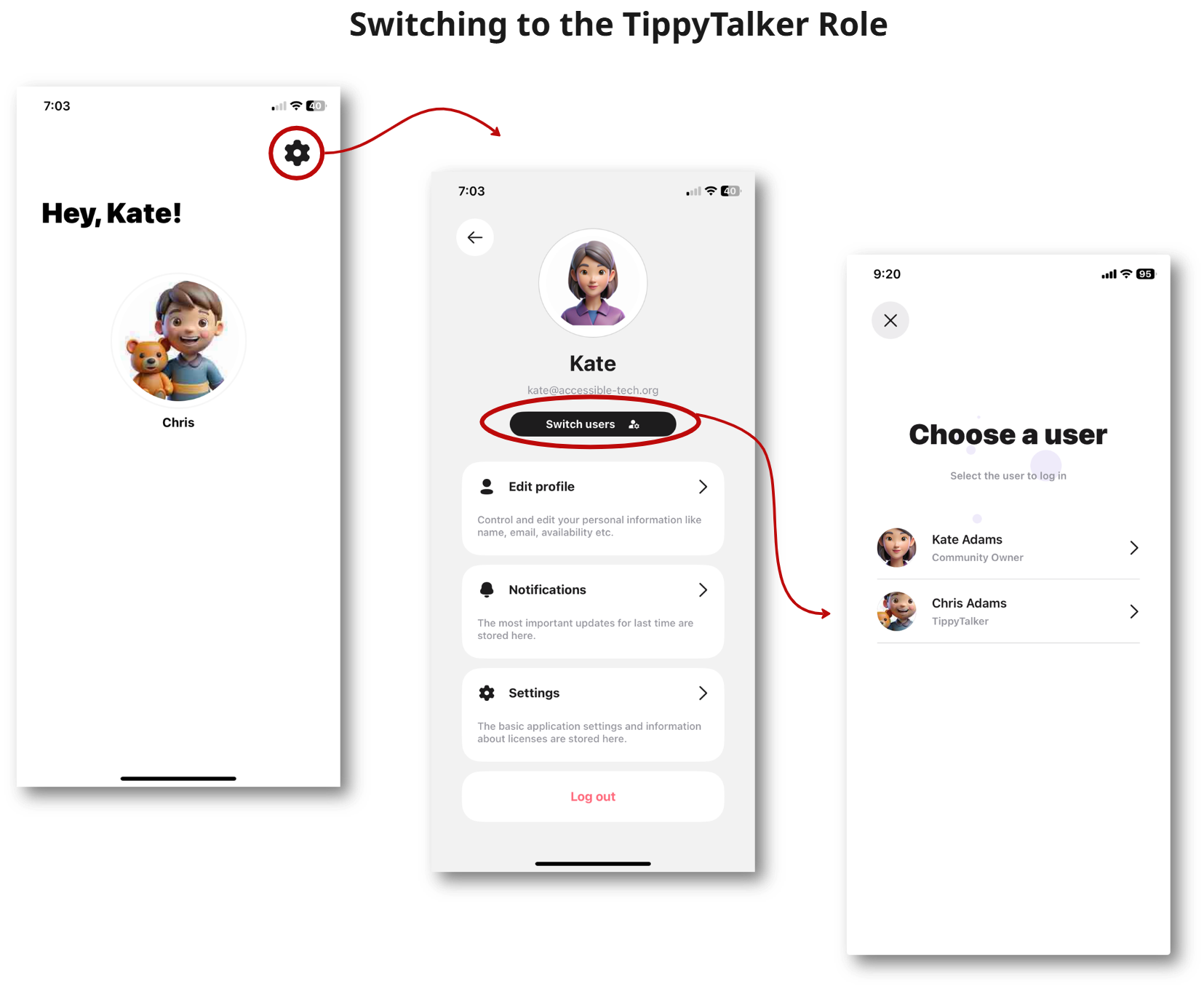
The Owner can easily switch between their own mode and the TippyTalker’s mode.
This may be helpful if the TippyTalker wants to communicate but does not have their iPad nearby. Then, the Owner can quickly access the TippyTalker’s mode for immediate use.
From the Owner's initial screen, tap the gear icon to get to Settings. In the Settings, tap Switch users and then the name of the TippyTalker.
Switching Back to Owner Mode
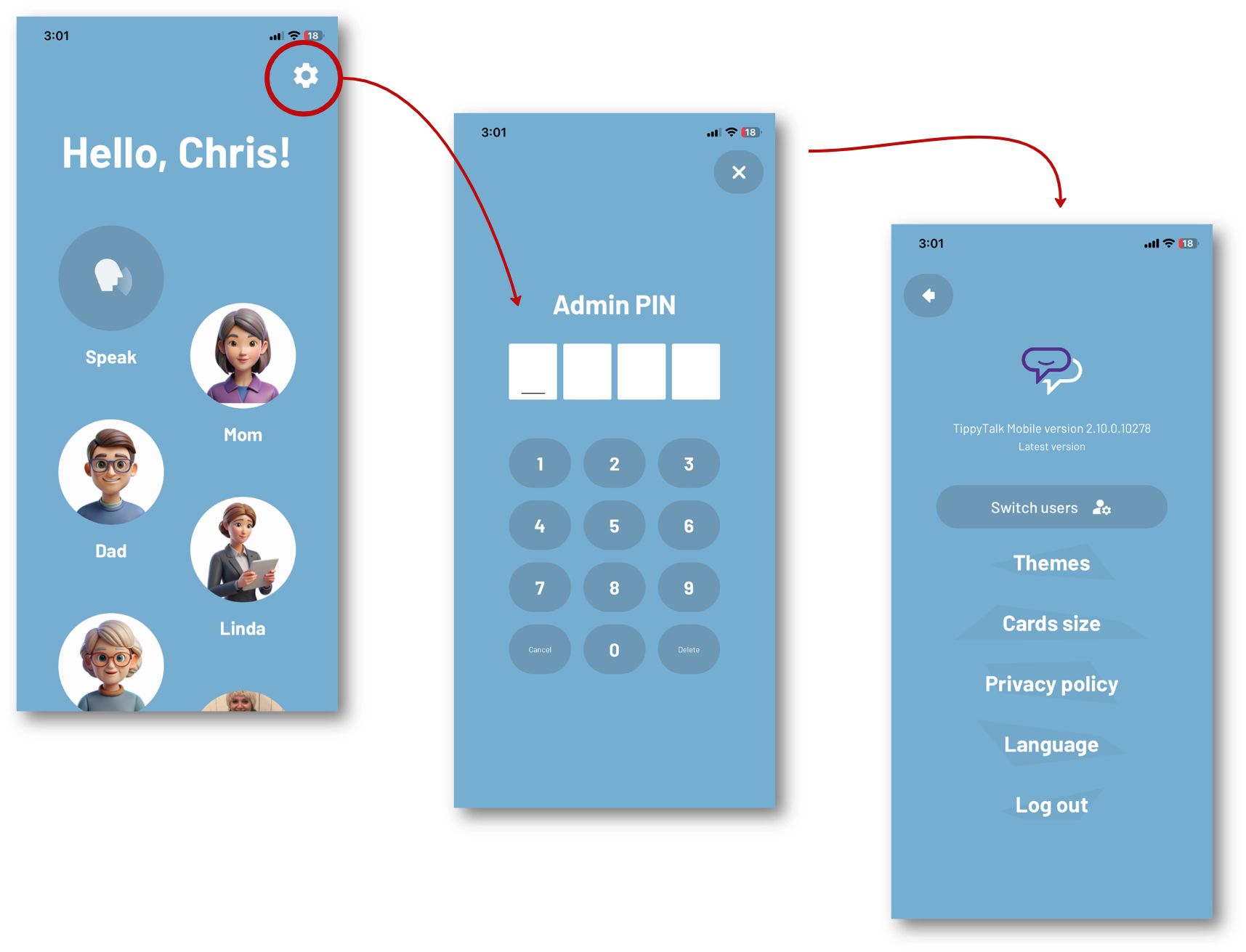
To switch back on your phone to the Owner's mode, you will need to use the PIN you created earlier.