![AT Logo Transparent Bkgd.png]](https://learn.accessible-tech.com/hs-fs/hubfs/Logos/Accessible%20Tech%20Logos/AT%20Logo%20Transparent%20Bkgd.png?width=200&height=58&name=AT%20Logo%20Transparent%20Bkgd.png)
Participants
The Owner and managers of the TippyTalker community can add or remove participants.
The Owner can give roles to new participants.
TippyTalker’s Community
There are four roles in the TippyTalk structure:
- The TippyTalker, who is the non-verbal or speech-impaired person and usually uses a tablet
- The Community Owner, who manages the account and does most of the setup
- Community Managers, who have ability to customize cards and add members, and are usually other parents or therapists
- Community Members, who can communicate with the TippyTalker and are added by the Owner or Manager
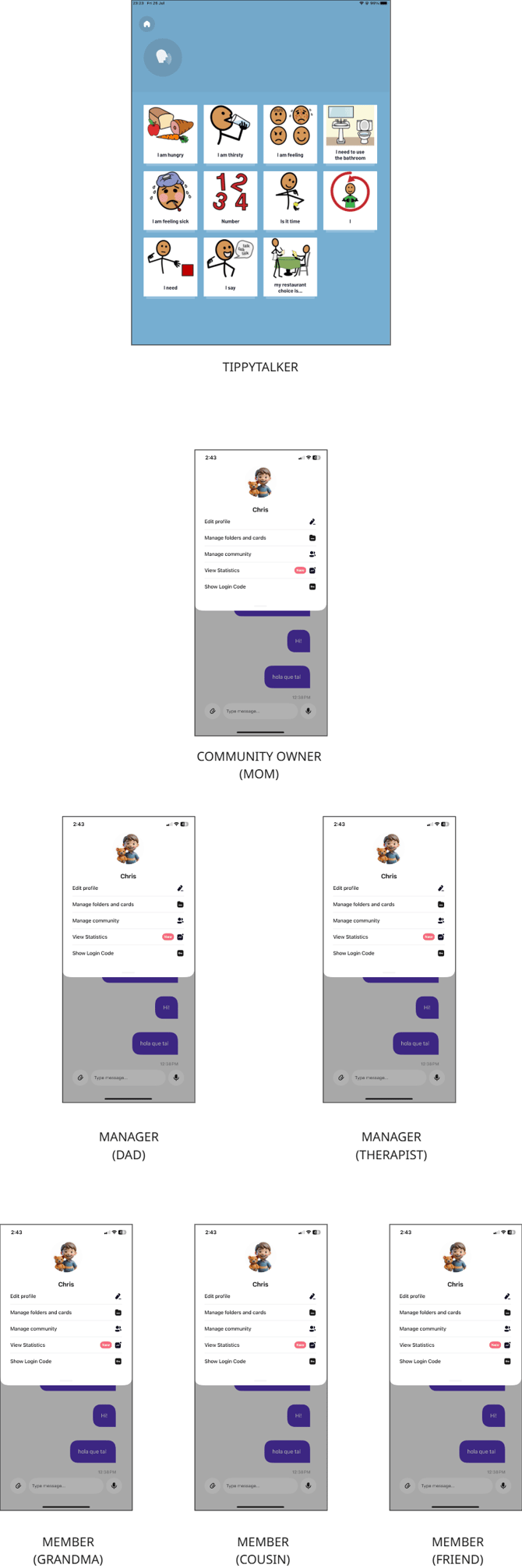
Community Participants and Permissions
The Owner can grant access to both Managers and Members. Each role has a certain level of permission as shown in the table above.
Managers can also grant access to Members.
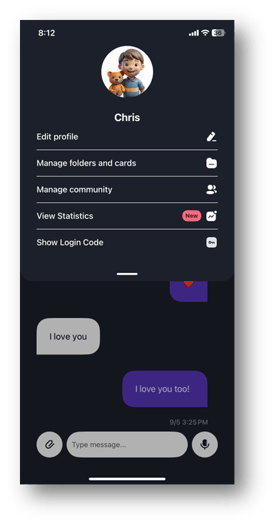
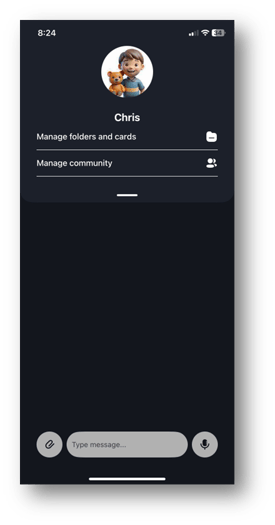
Owner's Permissions Manager's Permissions
Managing the Community
TippyTalk is a secure messenger, ensuring that outsiders cannot enter the TippyTalker community.
All community members are visible in the application to the Owner and managers.
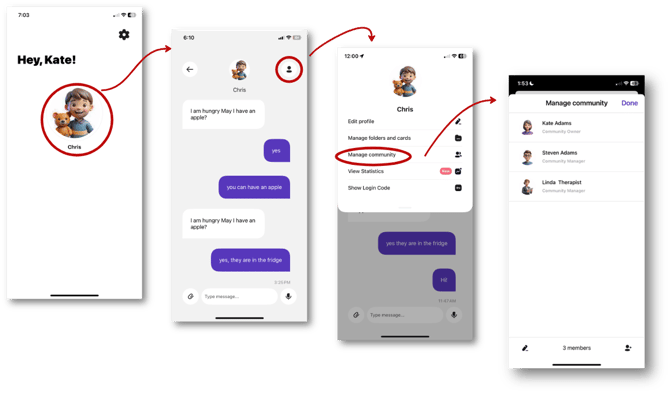
You can view them in the TippyTalker’s management menu under ‘Manage Community’.
Adding a Community Member
- From the Admin Home Screen, tap the TippyTalker’s icon
- Tap the profile button in the upper right
- Tap Manage community
Next:
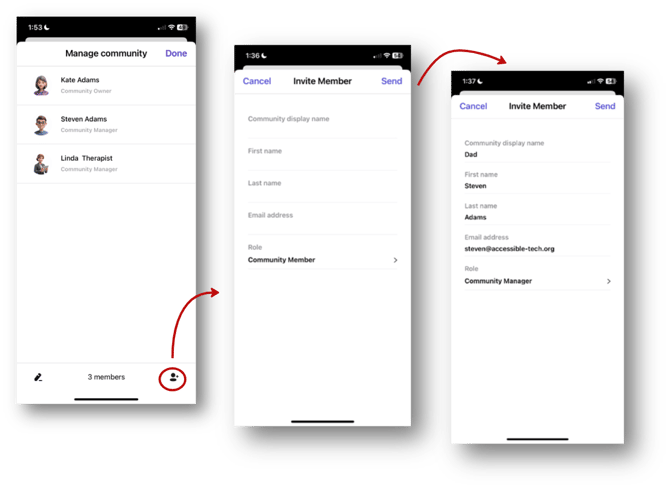
- Tap the icon with a plus sign in the bottom right corner and enter the required information. Be careful while choosing a Role. This can be either Manager or Member.
- The Community display name will be what the TippyTalker sees and hears, and what other members will see
- Roles include:
- Community Manager. This person manages the community and cards, and communicates with the TippyTalker.
- Community Member. This person can only communicate.
- When you have entered the profile information, tap ‘Send’ to send an invitation to their email address.
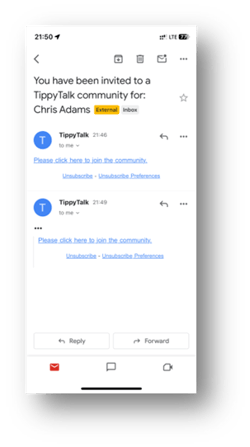
Accepting the Invitation
The recipient of the invitation must download the TippyTalk Mobile application on their device and register using the email address to which the invitation was sent. Then, they will be able to join a TippyTalker’s community.